
Turn every request and complaint into owned, trackable work.
Tickets, complaints and service requests with priorities, due times, escalation and a complete timeline, from the first message to a recorded resolution.
Know who owns what, and when it is due.
Urgency maps to a due time, so the most pressing cases rise to the top. Categories, assignees and templates keep handling consistent across the team.
- Priorities, categories and due times
- Ticket templates for common request types
- Assignment to people or teams
- Internal notes and @mentions
See problems before a deadline is missed.
SLA clocks run on every case and conversation. Supervisors get warnings as time runs down, and automation can escalate before a breach, not after it.
- Live SLA countdown on each case
- Warnings at configurable thresholds
- Escalation rules by priority or category
- Time logged against each case
Learn from every resolution.
Satisfaction surveys follow resolved cases, and negative feedback automatically opens a follow-up case, so unhappy customers are caught instead of lost.
- CSAT, NPS and effort scores after resolution
- Auto follow-up on negative feedback
- Complaint trends by branch and category
- Exportable reports for compliance reviews
The real screen, not a mockup.
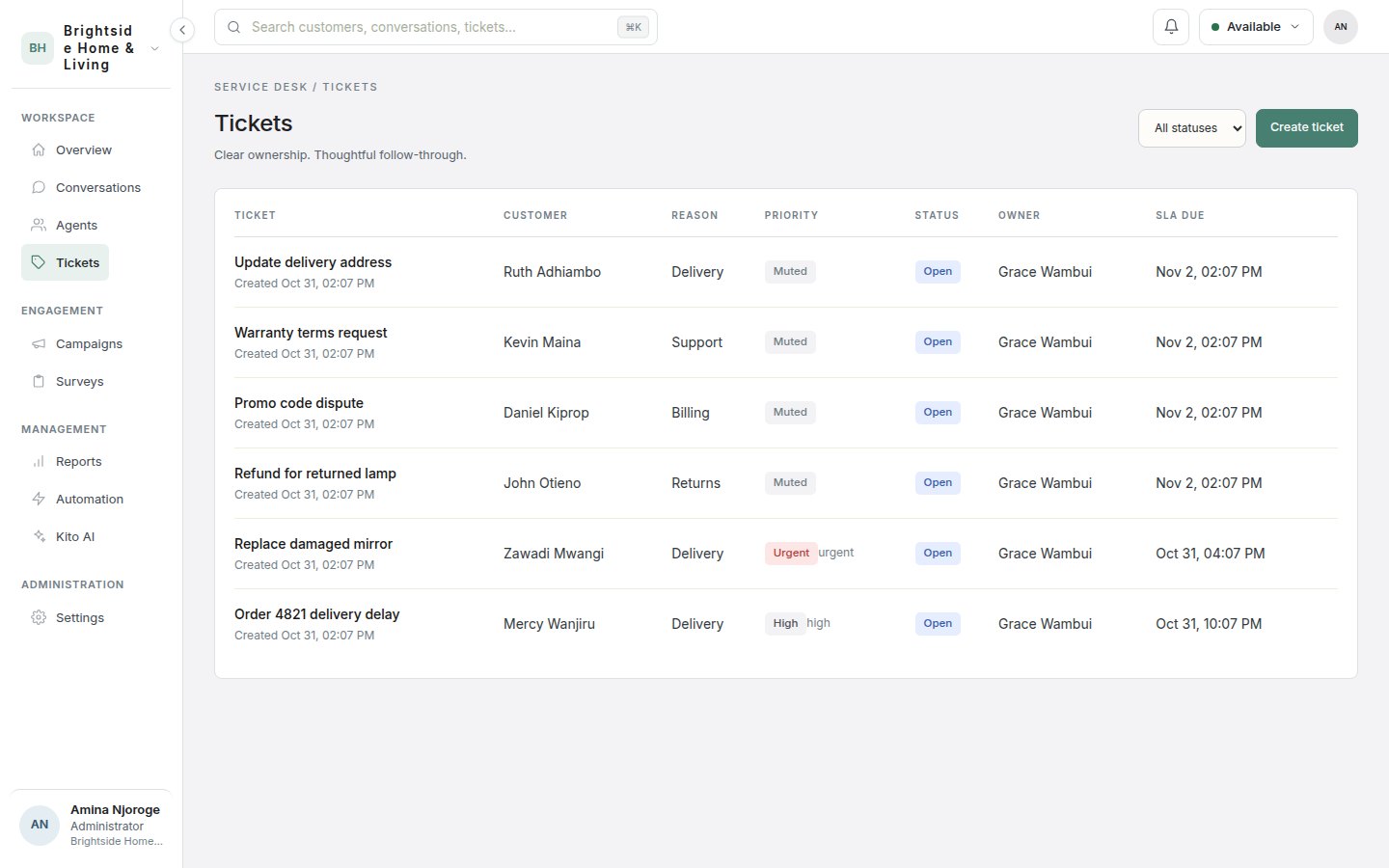
From first touch to a recorded outcome.
Capture
A case is created from a conversation, a call, a survey result or manually.
Assign
It is routed to an owner with a priority and a due time.
Work
The team adds notes, logs time, and keeps the customer informed.
Resolve
The case closes with a timeline, and a survey invites feedback.
How service teams put Kito Cases to work.
Built for regulated service teams.
| View | Assign | Export | Manage | |
|---|---|---|---|---|
| Administrator | ✓ | ✓ | ✓ | ✓ |
| Supervisor | ✓ | ✓ | ✓ | - |
| Agent | ✓ | ✓ | - | - |
| Auditor | ✓ | - | - | - |
- Each organisation is isolated at the database level
- Roles with own, team and organisation scopes, plus branch restrictions
- Provider keys and channel secrets encrypted at rest
- An audit log of sensitive access and permission changes
- Mandatory multi-factor sign-in policy for your workspace
- Suspend or remove access instantly, ending active sessions
Questions about Kito Cases.
Can a case be created from a WhatsApp chat?
Yes. Any conversation can spawn a case that stays linked to the thread.
How are due times set?
Priority maps to a due time, and you can change it per case. SLA targets and escalation rules are configurable.
Can we report on complaints?
Yes. Cases can be filtered by category, branch, status and period, and reports can be exported.
Who can see which cases?
Roles and scopes decide it. Agents can be limited to their own or their team’s cases.
Works best with the rest of KitoDesk.
Kito Inbox
WhatsApp, email, SMS, website chat and social messages land in a single workspace, with the customer record, history and open cases right beside every thread.
Explore Kito Inbox →Kito Flow
Rules, macros, bots, journeys and campaigns that handle repetitive work on their own, with approval steps, consent checks and a log of every run.
Explore Kito Flow →Kito Insights
Volumes, response times, workload, satisfaction and Voice of the Customer in one place, calculated from your real workspace data and exportable on a schedule.
Explore Kito Insights →Watch Kito Cases handle your kind of work.
Send us a typical day for your team. We build the demo around it, so you see your own conversations, not a script.
- Built around your own workflow
- Security and rollout questions answered
- No obligation
Your order 4821 is out for delivery today before 5pm. I have sent the tracking link to your phone. Anything else I can help with?